
Sudoku
iPhone · iPad · Android
Minesweeper is the classic logic game of finding hidden mines: each number counts the mines among the eight cells around it. Play it offline in Cerebrum, the puzzle games app by Synapgeek, on iPhone, iPad and Android.


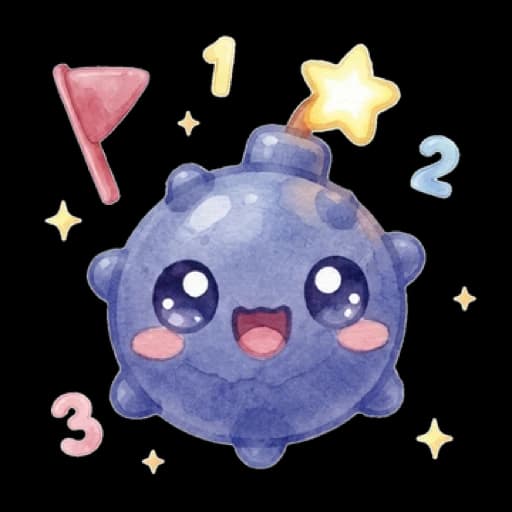
Every cell of the grid starts hidden, and some of them hide a mine. You win once every safe cell is open. Flags are only for your own bookkeeping and do not count towards winning.
A number tells you how many mines hide among the eight cells around it, diagonals included. A 2 means two mines somewhere in its eight neighbors. That single rule is the whole game.
A cell with no mine next to it carries no number. Opening it opens all its neighbors at once, and the cleared area spreads outwards.
In Cerebrum, tap a cell to open it. To plant a flag, press and hold the cell, and hold it again to take the flag away. Marking several mines in a row? The Flag button in the toolbar saves you from holding each time.
When a number already has as many flags around it as its value, tap it and Cerebrum opens all its other neighbors in one go. On big grids, pinch to zoom.
Touching a mine costs one of your three hearts, and the cell stays marked. The third heart ends the game.
In Cerebrum you work through a path of grids in the difficulty you pick. When it is finished, Endless Mode serves more minefields of that same difficulty.
Minesweeper opens with a short four-page how-to-play sheet: the numbers, the first tap, flags, hearts and the hint. On the first Easy level, highlighted cells show where to open and where to flag, and every move is still yours to make. No heart is at stake and the timer is off; the remaining cells are yours alone. A Skip button appears from the second step if you prefer to go on without the guide.
The mine counter, always visible at the top, shows the mines in the grid minus your flags. Plant one flag too many and it drops below zero, which tells you that one of your flags is wrong.
A mine you touch costs a heart, yet the grid stays winnable: the cell stays flagged, so the counter stays accurate. After the third heart you can carry on with the same minefield, up to twice, with two hearts back each time.
The hint opens the next safe cell for you, with the usual cascade. It leaves your flags alone, except when the cell it opens carries a wrong one: it lifts that flag first.
Stars follow your mistakes: three for a clean grid, two for one mistake, one beyond that, and hints never change that.
Daily challenge: pick Minesweeper and the app sets the day's grid on Easy or Medium, the same for every player.
| Difficulty | What changes |
|---|---|
| Easy | 9×8 grids hiding 5 to 12 mines, then 11×9 grids with 13 to 17 mines further along the path. Open from your first launch. |
| Medium | 14×11 grids with 25 to 29 mines. Open from your first launch. |
| Hard | 16×13 grids with 39 to 43 mines. Opens as you progress through Medium. |
| Elite | 18×14 grids with 50 to 56 mines. Opens as you progress through Hard. |
No. Your very first tap is blind: it can land on a mine, which costs a heart, or on a number, which opens nothing. Once an area is open, the rest of the grid can be worked out by deduction: Cerebrum's grids are checked by a solver.
Press and hold a cell to mark it as a mine, and hold it again to remove the flag. To plant several in a row, the Flag button in the toolbar saves you from holding each time.
You lose one of your three hearts and the cell turns into a flag, so the mine counter stays right. The cost is counted per tap, not per mine: a single tap that uncovers several mines costs one heart. Once the third is gone, the same grid can be resumed rather than restarted, twice at most.
It opens the next safe cell, and lifts one of your flags first only if the cell it opens carries a wrong one. On a blank grid, it opens a safe starting area.
The mines in the grid minus the flags you have planted. It can go negative: below zero, at least one of your flags is wrong.
When a number has as many flags around it as its value, tap it. Cerebrum opens the rest of its neighbors, but it trusts your flags, so a misplaced flag will uncover a real mine.
iPhone · iPad · Android

iPhone · iPad · Android
iPhone · iPad · Android
iPhone · iPad · Android
Free to download, with a banner during play and ads between some games. Rewarded ads are always optional. Premium, weekly, monthly or yearly and bought in each store, means no forced ads, plus extra perks. What Premium adds
Updated on