
Sudoku
iPhone · iPad · Android
Arrow Maze is a relaxing arrow puzzle: tap a piece to slide it off the board when its way is clear, until the board is empty. Play it offline in Cerebrum, the puzzle games app by Synapgeek, on iPhone, iPad and Android.



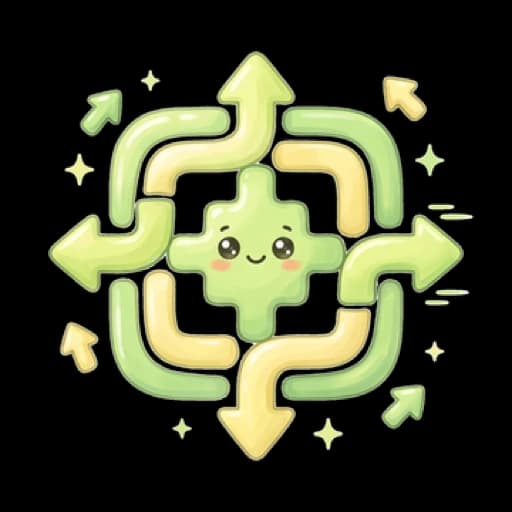
The board is covered in colored pieces. Each piece is a line of cells, often bent, with an arrow at its head. You win once no piece is left on the board.
Tap a piece to send it out. It heads the way its arrow points, in a straight line to the edge of the grid: if nothing sits on that path, it slides off the board and vanishes.
If another piece sits anywhere on that path, even far away or past the colored area, the piece is blocked. Tapping it anyway costs a heart.
Tap anywhere on the piece: touching any of its cells plays the whole piece, not just its arrow.
You start with the whole board in view. If the cells are too small, tap the board to zoom in right there, and drag to move around. Pinch to zoom as well, or use the overview button: it shows a magnifier when the whole board is in view and a map once you are zoomed in.
There is no wrong order: at least one piece is always free, so you can never get stuck. All that is left is to send them out one by one.
Arrow Maze boards usually draw a silhouette, a heart for instance, out of tangled colored pieces. Each difficulty has its own path of boards, and once you have finished it, Endless Mode serves more boards of the same difficulty.
The game opens with a five-page how-to-play sheet: emptying the board, tapping anywhere on a piece, the path to the edge, panning and zooming, and why no move is ever wrong.
On a big board you drag to move and pinch to zoom, and the overview button brings the whole grid back on screen. A long press on a piece shows its path: you see what blocks it before you tap it.
The hint picks the free piece that unblocks the most others, and shows its way out to the edge.
Tapping a blocked piece costs a heart: three on Easy and Medium, four on Hard. The blocked piece shakes and the one in its way lights up. Run out of hearts and the game is over, but you can resume the board, two times at most, with a fresh pair of hearts.
Stars follow your mistakes: a clean board earns three, one mistake leaves you two, and two or more leave you one. Hints are never counted.
Daily challenge: pick Arrow Maze and the app sets the day's grid on Easy or Medium, the same for every player.
| Difficulty | What changes |
|---|---|
| Easy | Boards from 17×8 to 26×26, with 20 to 141 pieces, and three hearts. Open from your first launch. |
| Medium | Boards up to 34×34, in no fixed order of size, with three hearts. Open from your first launch. |
| Hard | Boards from 13×26 to 39×39, with 33 to 153 pieces, and one heart more: four. Opens as you progress through Medium. |
It is first and foremost a relaxing puzzle. There is no wrong order and no dead end, since at least one piece is always free to tap. Following where each arrow points is all it takes.
No, any cell of the piece will do. Touching any of them plays the whole piece, not just its arrow.
It stays where it is and you lose a heart. That cost counts towards your stars, since no mistakes earns three.
Press and hold the piece: its path appears, at no cost. Remember that a piece goes in a straight line to the edge of the grid, even past the colored area.
Drag to move and pinch to zoom. One button switches between the two: the magnifier zooms in, and once you are zoomed in the map brings the whole board back on screen.
It highlights one piece that is free right now, the one that unblocks the most others, and draws its path out to the edge. Asking for a hint never costs a star.
iPhone · iPad · Android

iPhone · iPad · Android

iPhone · iPad · Android
iPhone · iPad · Android

iPhone · iPad · Android
Free to download, with a banner during play and ads between some games. Rewarded ads are always optional. Premium, weekly, monthly or yearly and bought in each store, means no forced ads, plus extra perks. What Premium adds
Updated on