
Sudoku
iPhone · iPad · Android
A word search is the classic letter-grid puzzle where you hunt for hidden words that run in straight lines. Play it offline in Cerebrum, the puzzle games app by Synapgeek, on iPhone, iPad and Android.


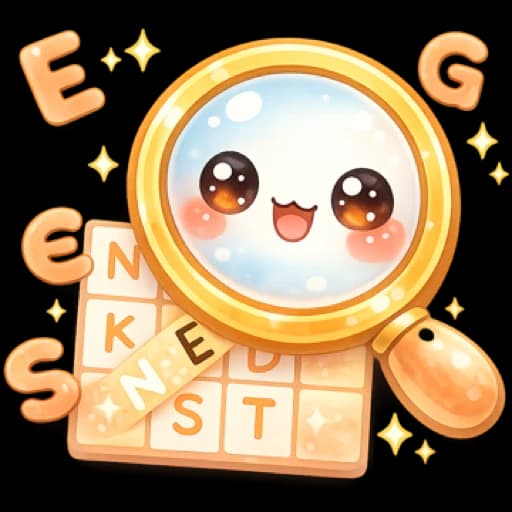
The grid is a square of letters with words hidden in it along straight lines: across, down or diagonally. On Easy, the list under the grid names every word to find; harder levels hide more of it.
To select a word, put your finger on its first letter, drag in a straight line to its last letter, then lift. Direction matters: a word only counts when read from its first letter to its last, never the other way round.
If the selection matches a word on the list, a band of color stays on the grid and the word is marked as found. If it does not, nothing is lost: there are no hearts and no mistakes, so you simply try again.
Each level strings together three grids, set in advance and played one after another. It ends when the words of all three grids are found.
A word escaping you? The Hint button offers help that depends on the difficulty, and the list itself changes depending on whether you play Easy, Medium or Hard.
In Cerebrum, a word search level is a run of three fixed grids, with no random draw, solved one after the other. Levels open one by one along each difficulty's path, and after the last one Endless Mode keeps handing out fresh sets of three grids.
The word list changes with the difficulty. On Easy, every word to find stays readable. On Medium, only the number of letters of each word shows. On Hard, the list is gone: you have to spot words without knowing which ones to look for, and some of them are written backwards.
There are no mistakes to make and no game to lose: only the clock counts. Stars are worked out from your average time per grid. Three stars take 45 seconds or less on Easy, 2 minutes on Medium and 3 minutes 30 seconds on Hard; two stars go up to 1 minute 30 seconds, 3 minutes 30 seconds and 6 minutes.
The Hint button changes with the difficulty. On Easy, it finds a word for you on the grid. On Medium and Hard, it offers two kinds of help: highlighting the first letter of a word you have not found, or revealing the text of a word on the list. Revealing a text only shows you what to look for: you still have to find the word on the grid.
Movies, Cooking and Travel packs bring themed word searches, 9 to 11 cells a side, played like Medium: the list shows only the number of letters of each word, and no row or column word is written backwards. Each pack also opens themed crosswords.
Daily challenge: pick Word Search and the app sets the day's grid on Easy, the same for every player in your app's language, English or French.
| Difficulty | What changes |
|---|---|
| Easy | Grids from 7 to 9 cells a side, with 5 to 8 words of 4 to 7 letters. The list stays fully visible. Open from your first launch. |
| Medium | Grids from 9 to 11 cells a side, with 7 to 11 words of 4 to 8 letters. Only the number of letters of each word shows. Open from your first launch. |
| Hard | Grids from 11 to 12 cells a side, with 8 to 15 words of 3 to 9 letters, some written backwards. The list is hidden. Opens as you progress through Medium. |
From its first letter to its last. Direction matters: if you start from the last letter and drag back to the first, the word is not accepted, even though you cross the right cells.
No. Word search has no hearts and no defeat: a selection that matches no word costs nothing and can be redone straight away. Only the time counts, for the stars.
On Hard, yes, both across and down: they read from right to left or from bottom to top. On Easy and Medium, across words read left to right and down words read top to bottom; diagonals can run any of the four ways.
On Easy, the hint finds a word for you and marks it as found. On Medium and Hard you choose between highlighting the first letter of a word you have not found and revealing the text of a word on the list, which points you to what to look for without placing it on the grid.
Each level is built as a set of three grids, always the same ones and in the same order. For stars, what counts is the average time per grid, not the total time of the level.
Word search grids are only written in French and English. Set the app to any other interface language and the game is hidden; switching back to French or English brings it back.
iPhone · iPad · Android
iPhone · iPad · Android
iPhone · iPad · Android
iPhone · iPad · Android
Free to download, with a banner during play and ads between some games. Rewarded ads are always optional. Premium, weekly, monthly or yearly and bought in each store, means no forced ads, plus extra perks. What Premium adds
Updated on