
Sudoku
iPhone · iPad · Android
Pixel Art is a game of nonograms, also known as hanjie: the numbers along the edges of the grid tell you which cells to fill in to reveal a hidden picture. Play it offline in Cerebrum, the puzzle games app by Synapgeek, on iPhone, iPad and Android.



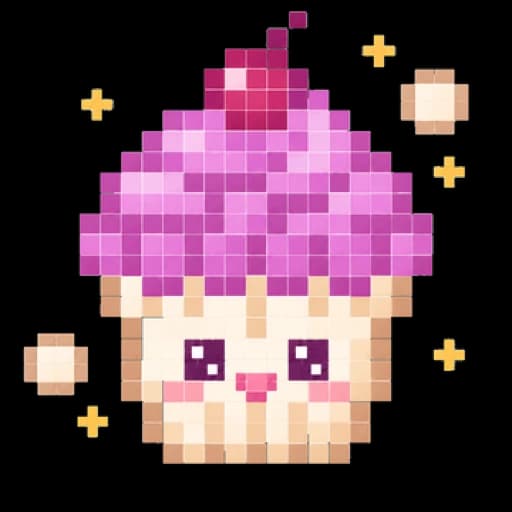
The grid is a square of empty cells, with numbers at the head of every row and every column. Your goal is to fill in the right cells until a picture appears.
Each number is a run of filled cells in its row or column. A 3 means three filled cells side by side. With two numbers, say 2 then 1, the line holds two runs in that order, with at least one empty cell between them.
In Cerebrum, drag your finger across the cells to fill them in: a single stroke can paint a whole run. The toggle button switches between two modes, Fill and Cross.
Switch to Cross mode to mark the cells you know are empty. A cross never costs you anything.
Filling in a wrong cell costs one of your three lives and turns it into a locked cross; a correct cell locks as well.
You win when the whole grid is solved: the picture turns to color and its name appears.
Each difficulty has its own path of hidden pictures. Once it is done, Endless Mode keeps drawing new pictures at that difficulty's grid size, up to 15×15 on Elite.
Pixel Art opens with a short four-page how-to-play sheet: read the clues, drag to paint, cross what is empty, finish to reveal.
While you play, the grid stays black and white.
As soon as a row or column is complete, its empty cells are crossed out for you, and any cross already there locks. Undo only takes back crosses, never a filled cell.
Run out of lives and the picture is not lost: you can take it up again, at most twice, with two lives restored each time. A stroke that sweeps several wrong cells stops at the first one and costs a single life.
The hint fixes one cell. If you crossed out a cell that belongs to the picture, it fills it in; otherwise it fills a missing cell in the row or column closest to being finished. A hint never costs a life.
When you win, the picture is revealed in four colors and its name appears: Panda, for instance.
Stars count mistakes: none earns three stars, one earns two, two or more earn one, and hints do not count.
Daily challenge: pick Pixel Art and the app sets the day's grid on Easy or Medium, the same for every player.
| Difficulty | What changes |
|---|---|
| Easy | 8×8 grids, with a few smaller 5×5 ones to begin the path. Open from your first launch. |
| Medium | 10×10 grids. Open from your first launch. |
| Hard | 12×12 grids. Opens as you progress through Medium. |
| Elite | 15×15 grids, the biggest. Opens as you progress through Hard. |
Yes. Pixel Art is the name Cerebrum gives its nonograms, also known as hanjie: you fill in cells from the numbers on the rows and columns, and the result draws a picture.
Drag across the grid to paint several cells in a single stroke, with the toggle button set on Fill. Set it on Cross to mark the cells you know are empty.
You lose one life and the cell turns into a locked cross. Losing the third life ends the game, though a second chance is offered.
It only takes back crosses, never a filled cell: a filled cell is either right and locked, or wrong and turned into a locked cross.
It fixes one cell, starting with a cell you crossed out by mistake, and never costs a life.
The grids are the same in every language of the app, but the picture's name, revealed when you win, is shown in the language you picked in Cerebrum.
iPhone · iPad · Android
iPhone · iPad · Android
iPhone · iPad · Android
iPhone · iPad · Android
iPhone · iPad · Android
Free to download, with a banner during play and ads between some games. Rewarded ads are always optional. Premium, weekly, monthly or yearly and bought in each store, means no forced ads, plus extra perks. What Premium adds
Updated on